
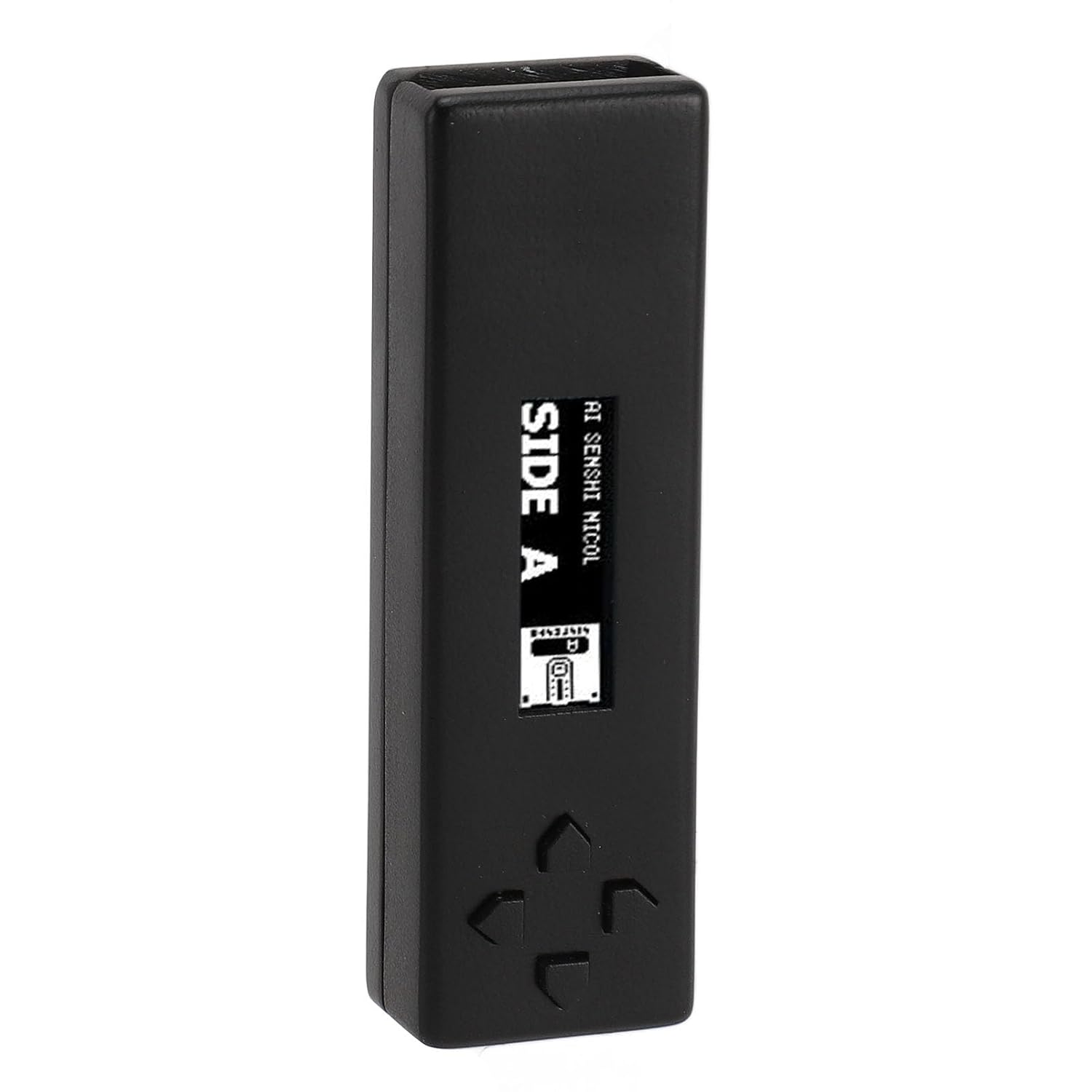
CCYLEZ Console Disk Drive Emulator, Stable Performance Drive Emulator Plug and Play Compact for Game Accessory (Black)
Product details
| Management number | 231446881 | Release Date | 2026/06/18 | List Price | US$13.30 | Model Number | 231446881 | ||
|---|---|---|---|---|---|---|---|---|---|
| Category | |||||||||
1. PROFESSIONAL DESIGN: For FDSkey is an easy to use for console emulator, suitable for home PC to enjoy for disk system games. 2. ORGANIC LIGHT EMITTING DIODE SCREEN: Multifunctional Organic Light Emitting Diode screen, the main menu includes browsing disk images, creating blank disks, settings and other functions. 3. PLUG AND PLAY: Plug and Play, hot swappable support, completely replaces physical disk drives, supports writing to and dumping of physical disks, supports firmware upgrades and saves game progress. 4. WITH 4GB MICRO STORAGE CARD: Includes more than 300 games, Micro Storage Card supports for FAT, for FAT32, for exFAT file system, can add for games (. for fds file). 5. PREMIUM MATERIAL: Made of premium ABS material, sturdy and rugged, not easy to damage, long service life. Large operating room, just take out the product and connect it to the game console. Specification: Item Type: for FDSkey Disk System Drive Emulator Material: ABS Memory Card: Micro Storage Card (built in 4GB Storage Card) Compatible Devices: for AV for FC for Console Applicable: for home computer enjoyment for Disk System games Issues: Q: How to use Disk Emulator? A: You need to prepare a for console and a for Disk System RAM adapter. After opening the console, insert the for FDSkey and choose to run the game. Q: Functions A: Left usually means back, right usually means OK and up down are used to select something (file, disk side, etc.) Also, you can long press the left in the file browser to directly return to the main menu from a subfolder, and long press the right to open the file properties menu. Q: How to dump physical disks, How to dump physical disks? A: You can use a homebrew disk copier applications to copy a physical disk to a virtual one, simply create an empty ROM.
- PREMIUM MATERIAL: Made of premium ABS material, sturdy and rugged, not easy to damage, long service life. Large operating room, just take out the product and connect it to the game console.
- PLUG AND PLAY: Plug and Play, hot swappable support, completely replaces physical disk drives, supports writing to and dumping of physical disks, supports firmware upgrades and saves game progress.
- WITH 4GB MICRO STORAGE CARD: Includes more than 300 games, Micro Storage Card supports for FAT, for FAT32, for exFAT file system, can add for games (. for fds file).
- ORGANIC LIGHT EMITTING DIODE SCREEN: Multifunctional Organic Light Emitting Diode screen, the main menu includes browsing disk images, creating blank disks, settings and other functions.
- PROFESSIONAL DESIGN: For FDSkey is an easy to use for console emulator, suitable for home PC to enjoy for disk system games.
| ASIN | B0DKNM491H |
|---|---|
| Brand | CCYLEZ |
| Color | Black |
| Manufacturer | CCYLEZ |
| Model Number | CCYLEZyiw8vpgco4-11 |
| Item Type Name | Home & Kitchen |
| Mfr Part Number | CCYLEZyiw8vpgco4-11 |


Bestseller ranking
ATV Rear Shocks

Customers who viewed this product also viewed
Uncategorized



Correction of product information
If you notice any omissions or errors in the product information on this page, please use the correction request form below.
Correction Request Form